If you’re searching for an honest Databar AI review, you’re probably wondering if it’s really worth using for data enrichment, research, or lead generation.
Does it actually save time?
Is the data accurate and useful?
Or are there easier tools in 2026 that can do the same job?
We spent 30 days testing Databar, exploring its enrichments, AI research features, and real-time signals like hiring, funding, and tech usage, to see what works, what doesn’t, and whether it’s worth the price.
By the end, you’ll know if Databar fits your workflow, or if a simpler tool could give you better value.
Databar AI: Key Points
Aspect | Quick Takeaway |
What it does | Databar helps you find, enrich, and act on company and contact data using AI, 450+ data points, and 80+ data sources. |
Data accuracy | Good accuracy thanks to real-time updates and waterfall enrichment that checks many providers at once. |
Most useful features | AI Researchers, Chrome extension, 450+ enrichment fields, ready-made templates, CRM syncing, and 80+ integrations. |
Free plan | Yes, you can start with a free Chrome extension and basic enrichment tools. |
Main drawbacks | Lots of features can feel overwhelming at first, and using many enrichments may increase credit use. |
Alternative to try | Coldreach, if your main focus is automating outreach and turning data into conversations. |
What is Databar AI?
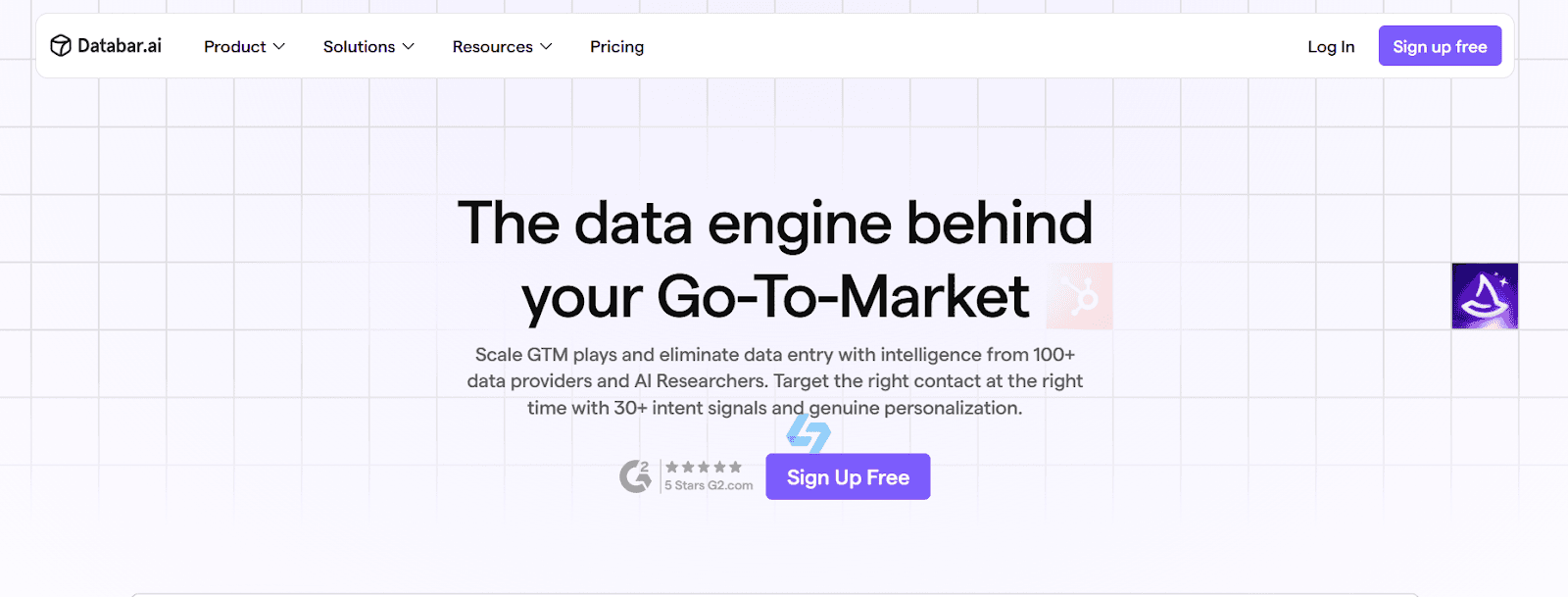
Databar AI is a tool that helps you find, enrich, and use business data without doing manual research.
It lets you create or import a list of companies or people, and then automatically adds more than 450 useful data points.
These include details like funding, number of employees, decision makers, tech stack, emails, and more.
Databar connects to over 80 data sources and uses AI researchers to pull in fresh information.
This means you do not need multiple subscriptions, scraping tools, or manual copy-paste work.
Databar can collect information from many places, including webhooks, CSV files, CRMs, forms, scrapers, RSS feeds, and even a free Chrome extension.
Once enriched, you can use live signals like hiring trends, funding rounds, or tech changes to reach prospects at the right moment.
In short, Databar AI makes it easy to gather data, improve it, and use it for outreach, research, or sales, all in one place.
How Databar AI Works
Databar AI works by turning raw lists into rich, ready-to-use data for outreach and decision-making.
It helps you build or import a list, enrich it with hundreds of data points, and then push it into your CRM or email tools.
Here’s how Databar AI works:
Start with your list: You can import companies or contacts from a CRM, upload a CSV, send data via webhooks, or even build a new list with Databar’s Chrome extension.
Enrich your data automatically: Databar lets you add over 450 data points, things like funding rounds, company size, decision makers, tech stack, and verified contact details, right into your table.
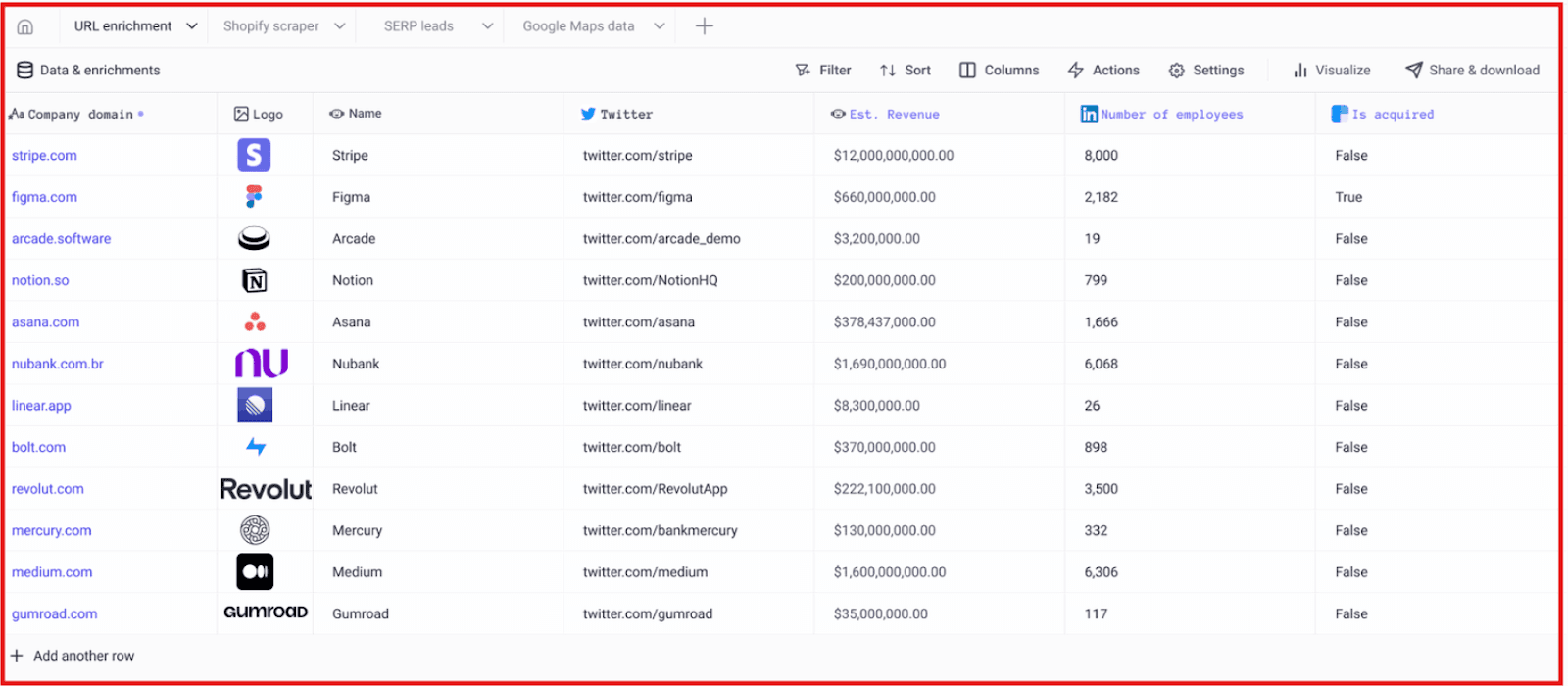
Use real-time signals to spot timing: The system tracks hiring spikes, funding updates, tech changes, and other intent signals so you can target people when interest is high.
Use AI to research at scale: Databar’s AI agents can visit websites, search for details, and fill your fields with fresh data, across thousands of rows at once.
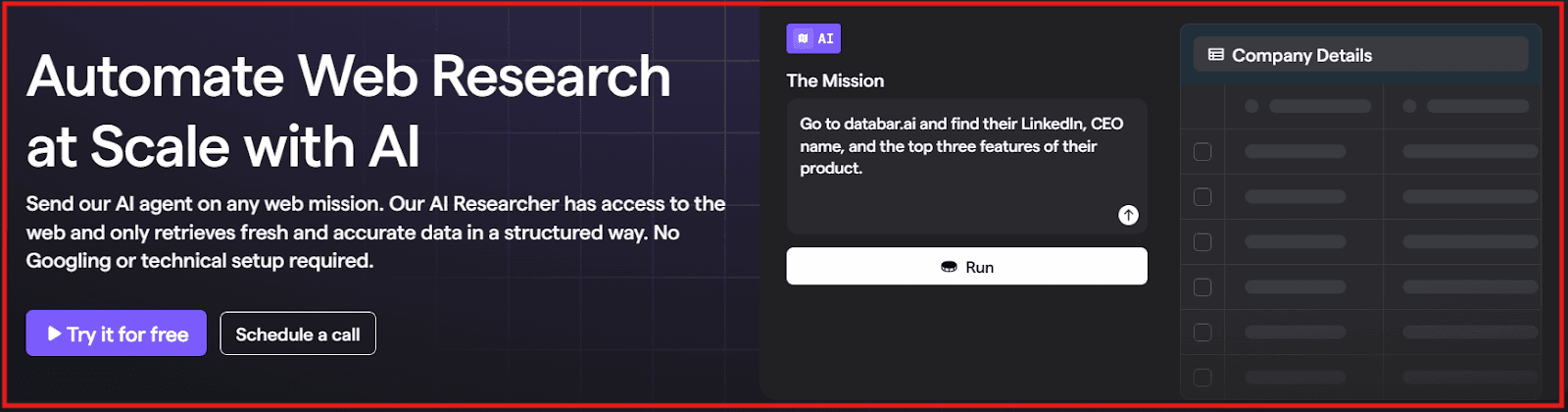
Sync and take action: Once enriched, your data flows directly into tools like HubSpot, Salesforce, Smartlead, or outreach platforms through two-way sync.
In simple terms, Databar builds your list → enriches it → sends it where your team needs it, so you can reach the right prospects at the right time.
Databar AI Features That Are Actually Useful
Databar AI packs features that help you find the right people, enrich your data fast, and move it directly into your tools.
Here are the key features explained in simple words:
Feature | What It Does (Simple Words) |
Build Lists from Anywhere | Import data from CRMs, webhooks, CSVs, or build a list using the free Chrome extension. |
450+ Data Enrichments | Add details like funding, employees, tech stack, decision makers, and more. |
80+ Data Integrations | Get data from trusted providers in one place instead of paying for many tools. |
Real-Time Signals | Spot timing clues like new funding, hiring spikes, or tech adoption to reach prospects when interest is high. |
AI Research Agents | Send AI to websites to collect fresh data and fill your table for you. |
Waterfall Enrichment | If one provider doesn’t have data, Databar tries others, giving deeper coverage. |
Two-Way CRM Sync | Send enriched data into HubSpot, Salesforce, Pipedrive, Smartlead, and more, and pull updates back. |
Lead & CRM Enrichment | Keep your CRM cleaned and updated with correct people, roles, and signals. |
One Source of Truth | See all your company, contact, and enrichment data in one place instead of scattered tools. |
Pros of Databar AI
Databar gives you one place to gather, enrich, and organize company and contact data instead of jumping between many tools.
You can add hundreds of firmographic and contact details in seconds, which saves hours of manual research.
The platform connects to many trusted data sources, so you get broader coverage without buying extra subscriptions.
The Chrome extension makes it easy to collect information directly from any webpage with just a click.
Databar pushes updated data into CRMs and outreach platforms, which helps teams keep pipelines clean and current.
Cons of Databar AI
Because Databar offers many features, it may take some time for beginners to learn how everything works.
If you enrich large volumes often, you may use more credits, which could increase cost for heavy users.
Teams that only want a basic scraping or outreach tool may find Databar more advanced than they need.
Like any tool that depends on third-party sources, some results may vary depending on provider coverage at that moment.
To get the full value, users usually need a CRM or outbound system, otherwise, some features go unused.
Databar AI Pricing
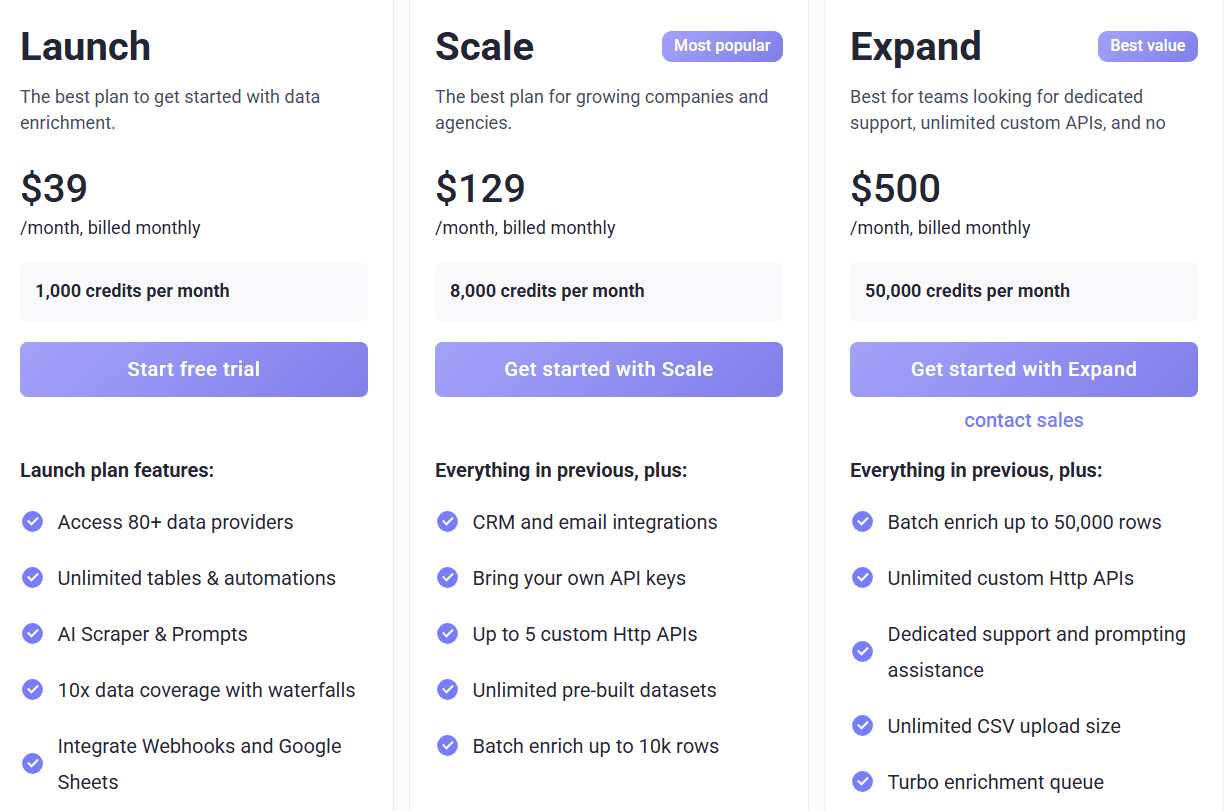
Databar offers plans that scale with your usage and team size.
Credits renew monthly on monthly plans and yearly on annual plans.
Unused monthly credits now roll over for one extra month.
I. Launch Plan - $39/month
Best for beginners and small teams.
1,000 credits per month.
Access to 80+ data providers.
Unlimited tables and automations.
AI scraper and prompt tools included.
Waterfall enrichment for better data coverage.
Connects to Google Sheets and webhooks.
II. Scale Plan - $129/month (Most Popular)
Ideal for growing companies and agencies.
8,000 credits per month.
Includes everything in the Launch plan.
Integrates with CRMs and email tools.
Lets you use your own API keys.
Supports up to 5 custom HTTP APIs.
Access to unlimited pre-built datasets.
Can batch enrich up to 10,000 rows.
III. Expand Plan - $500/month
Best for teams needing high volume and support.
50,000 credits per month.
Includes everything in the Scale plan.
Batch enrich up to 50,000 rows.
Unlimited custom HTTP APIs.
Dedicated support and prompt help.
Unlimited CSV upload size.
Faster processing with turbo enrichment.
IV. Enterprise Plan - Custom Pricing
Built for large companies managing data at scale.
Dedicated infrastructure and security.
Custom scrapers, APIs, and workflows.
White-glove onboarding and support.
Unlimited team members.
Here are a few things to keep in mind:
Credits apply to both connectors and enrichments.
You only pay for successful API results.
Rollover credits available on monthly plans.
Annual and quarterly plans receive full credit allotments upfront.
You can upgrade or downgrade plans directly inside Databar.
Is Databar AI the Right Fit for You?
Databar works best for teams that want to automate research, enrichment, and list building instead of doing it by hand.
It connects with CRMs and outreach tools so you can manage data, signals, and workflows in one place.
I. Choose Databar if:
You want to pull data from 80+ sources and enrich it in one dashboard.
You’re looking to automate research, list building, and personalization using AI scraping and enrichment tools.
You already use tools like HubSpot, Salesforce, Instantly, Smartlead, or Google Sheets and want smoother data sync.
You need accurate, real-time signals like funding rounds, hiring changes, email discovery, or tech stack insights.
You want a tool that can build lists from scratch, enrich them, and push them to your CRM without manual work.
II. Databar might not be ideal if:
You only want a simple CRM or outreach tool, because Databar integrates with these tools but does not replace them.
You prefer a fixed pricing model with unlimited use, Databar uses credits based on data usage.
You just need basic prospecting and don’t need deep enrichment or automation.
You want built-in phone dialing or native messaging, Databar focuses on data, not outbound sending.
Best Databar AI Alternative for AI-Driven Outreach → Coldreach
If you like how Databar enriches data and builds lists but want a tool that also runs full outbound outreach automatically, Coldreach is the better fit.
Databar focuses on data enrichment, list building, and research automation, you still need to send campaigns through your CRM or email tools.
Coldreach, on the other hand, works like a complete AI SDR that handles everything from research to sending emails to booking meetings.
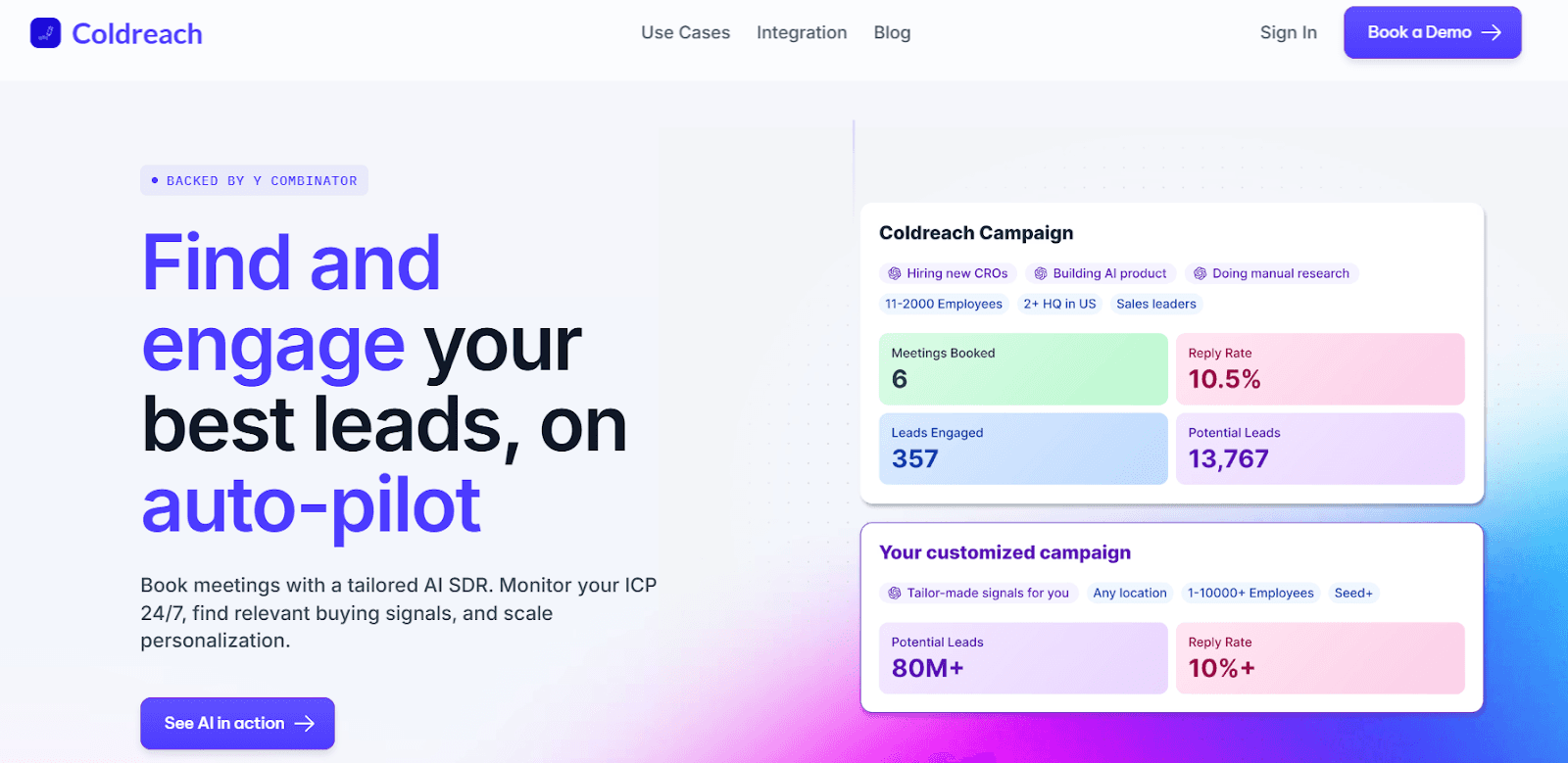
Here’s why Coldreach is the best Databar alternative for AI-driven outbound:
Tracks real-time buying signals across 79M+ accounts to find ready-to-buy leads
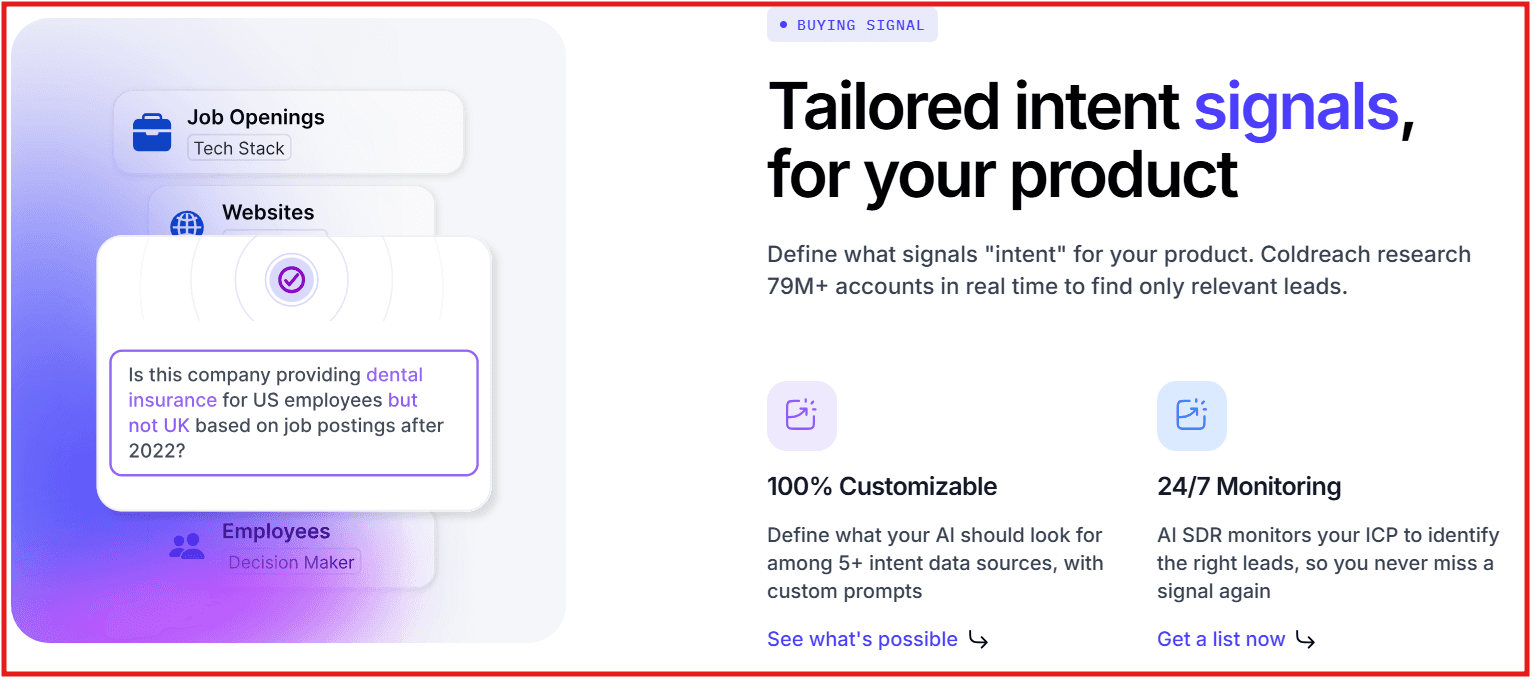
Auto-creates personalized cold emails based on intent signals and custom prompts
Runs end-to-end outbound, research, targeting, writing, follow-ups, scheduling
Includes built-in email deliverability setup (warm-up, IP rotation, DNS, etc.)
Databar vs Coldreach: Feature Comparison
Feature | Databar | Coldreach |
Core Function | Data enrichment & list building | AI SDR for full outbound automation |
Real-time Intent Signals | Yes, strong firmographics & activity signals | Yes, detects live buying signals from public data |
Email Outreach | Requires external email tools | Fully automated sending + follow-ups |
Personalization | AI-generated research and enrichment | Deep, AI-driven personalization from detected signals |
Deliverability Setup | Done through your own infrastructure | Built-in warm-up, DNS, domain rotation |
CRM Integrations | HubSpot, Salesforce, Instantly, Smartlead | Salesforce, HubSpot, Apollo, Salesloft, Slack |
Mode of Operation | Manual workflows you trigger | 24/7 AI-driven signal monitoring + outreach |
Databar is an excellent choice if you need powerful enrichment, research automation, and CRM-ready datasets, especially if you already have your own outreach stack.
But if your goal is to automate outbound from start to booked meetings, Coldreach gives you everything in one place, research, intent detection, personalization, deliverability, and outreach.
Try Coldreach if you want your data to turn into meetings automatically.
Is Databar AI Worth It in 2026?
Yes, Databar AI is worth it if your main goal is to build smarter datasets, enrich leads, and automate research without switching between many tools.
It’s a strong option for GTM teams that want clean data, real-time enrichments, and easy integrations without writing code.
The Chrome extension and AI enrichment features make it even more useful for people who want to gather data fast and turn it into insights.
However, if your goal is to automate the entire outbound process, from detecting buying intent to sending personalized emails and booking meetings, Coldreach is the better fit.
It works like an AI SDR that monitors your ICP, finds ready-to-buy accounts, writes messages, and reaches out automatically.
Related Posts
Frequently Asked Questions
What is Databar AI?
Databar AI is a data workflow and enrichment platform that helps teams collect and structure external data. It is useful for research-heavy workflows that need flexible data access.
How does Databar AI compare to Coldreach?
Databar AI helps with data collection and workflow automation. Coldreach turns account data into outbound pipeline by researching leads, detecting buying signals, writing personalized emails, and sending sequences.
What are the limitations of Databar AI?
Databar AI does not replace a full outbound motion. If your team needs an AI SDR that handles research, personalization, and sending, Coldreach is a more complete option.